
Production tracking for manufacturers

Know where every part is, at every step.

Prodigi fits any manufacturing process where parts need to be tracked through each production step. It makes sure every step gets completed, and that parts are made and shipped at the right time, with every part there.

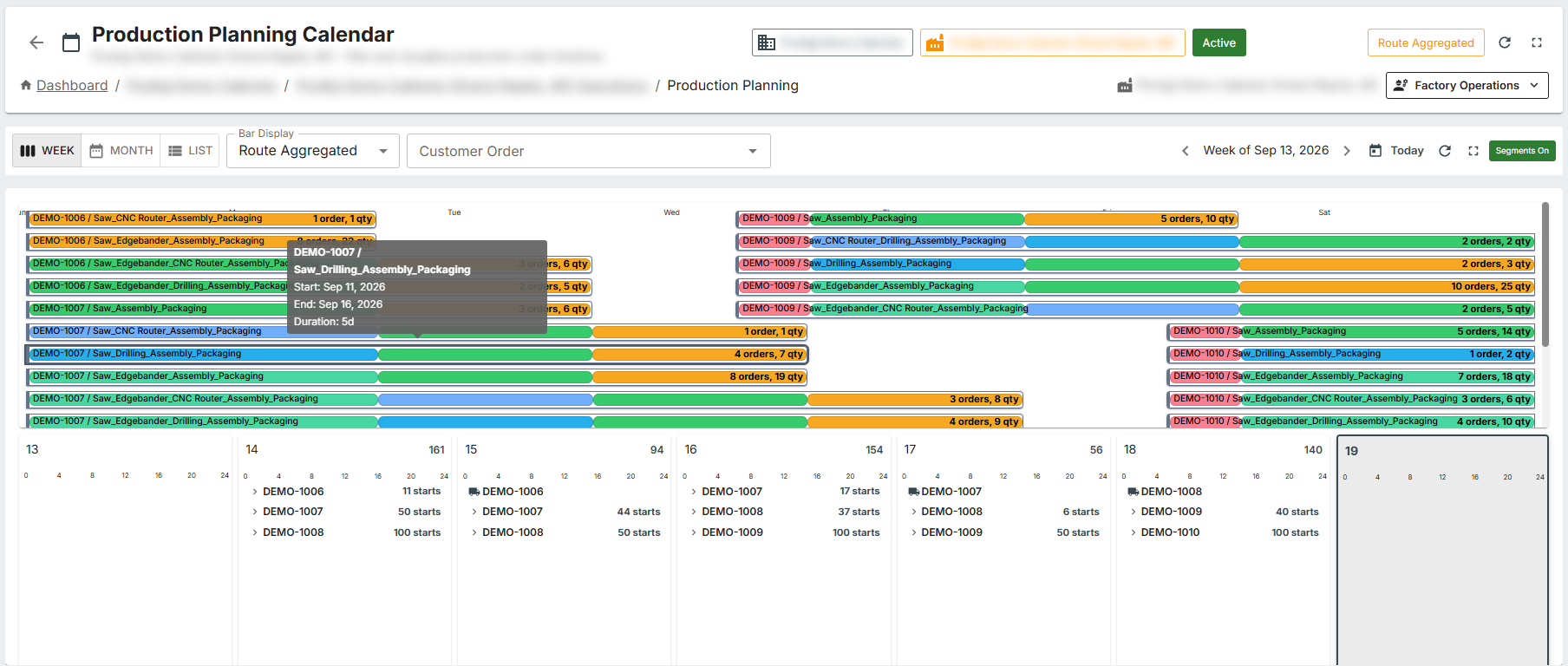
Plan months ahead, then drill down to the week and the day.

How it works

From order file to loading dock

Most manufacturers lose time between the office and the floor: retyped orders, a schedule on a whiteboard, parts that go missing, customers calling to ask where their order is. Prodigi closes those gaps in five steps.

  1. Import

    Bring in the order files your design or ERP software already exports. Prodigi builds the production orders, items and routing steps, with nothing retyped.

  2. Plan

    Lay out months of work on the planning calendar, zoom in to a single week, and check workstation load against capacity before you promise a date.

  3. Produce

    Operators scan individual parts, group parts into kits, or scan in batches: scan one part and every other part matching the same criteria is updated at once. Every scan updates the order, so the office sees progress as it happens.

  4. Recover

    A damaged part goes back into production as a tracked re-make with an approval step, instead of a note on a scrap of paper.

  5. Ship

    Ship customer orders complete, with labels and paperwork from your own templates, and let customers check status themselves.

What is included

The full production core, on every plan

Nothing below is an extra. Every plan gets all of it from day one.

Plan

Know what is coming

  • Order import

    Configurable imports map your own file layouts to production orders, so a new customer format is a setting, not a project.

  • Production planning calendar

    Month, week and list views of planned work, grouped the way your floor thinks about it.

  • Workstation capacity planning

    Compare planned load with each workstation's real capacity and operating hours, and see overloads before they happen.

Produce

Track every part, every step

  • Scanning, kitting and batching

    Scan single parts, build kits, or update a whole batch of matching parts with one scan.

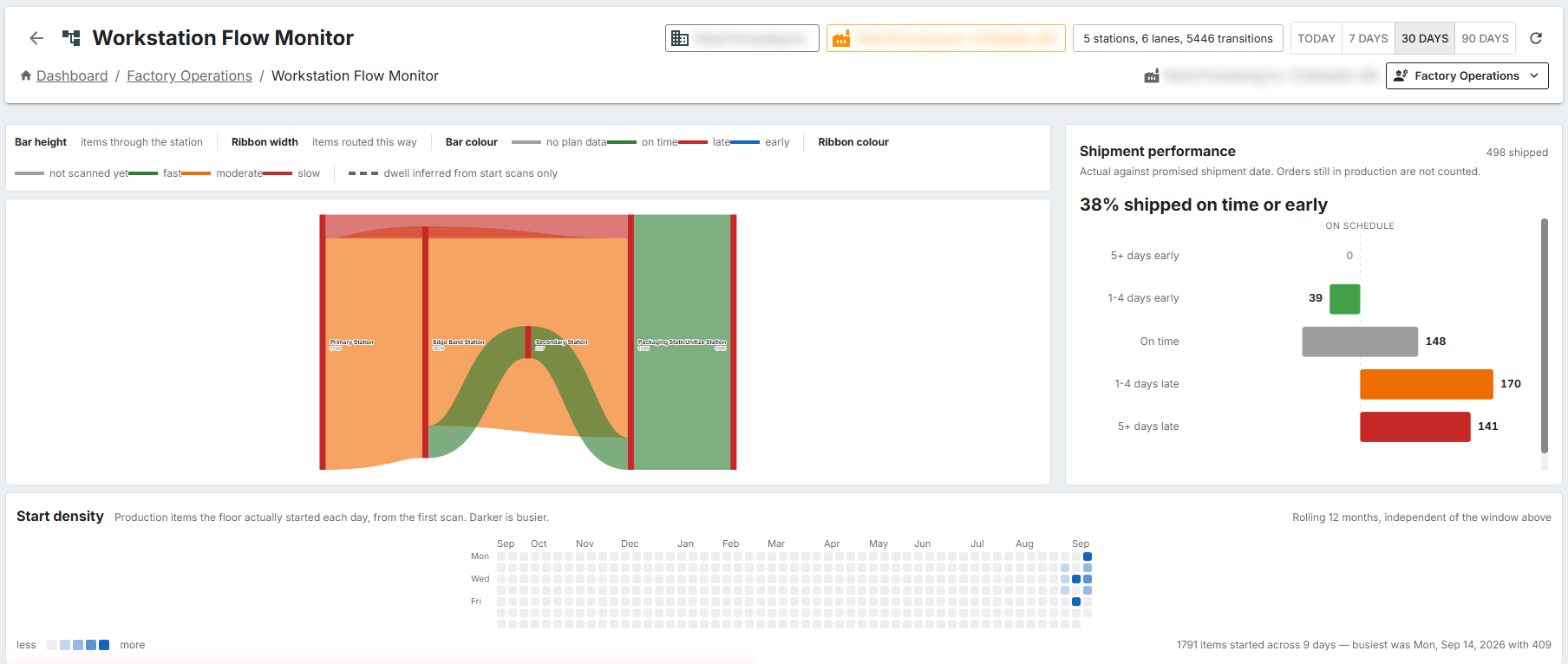
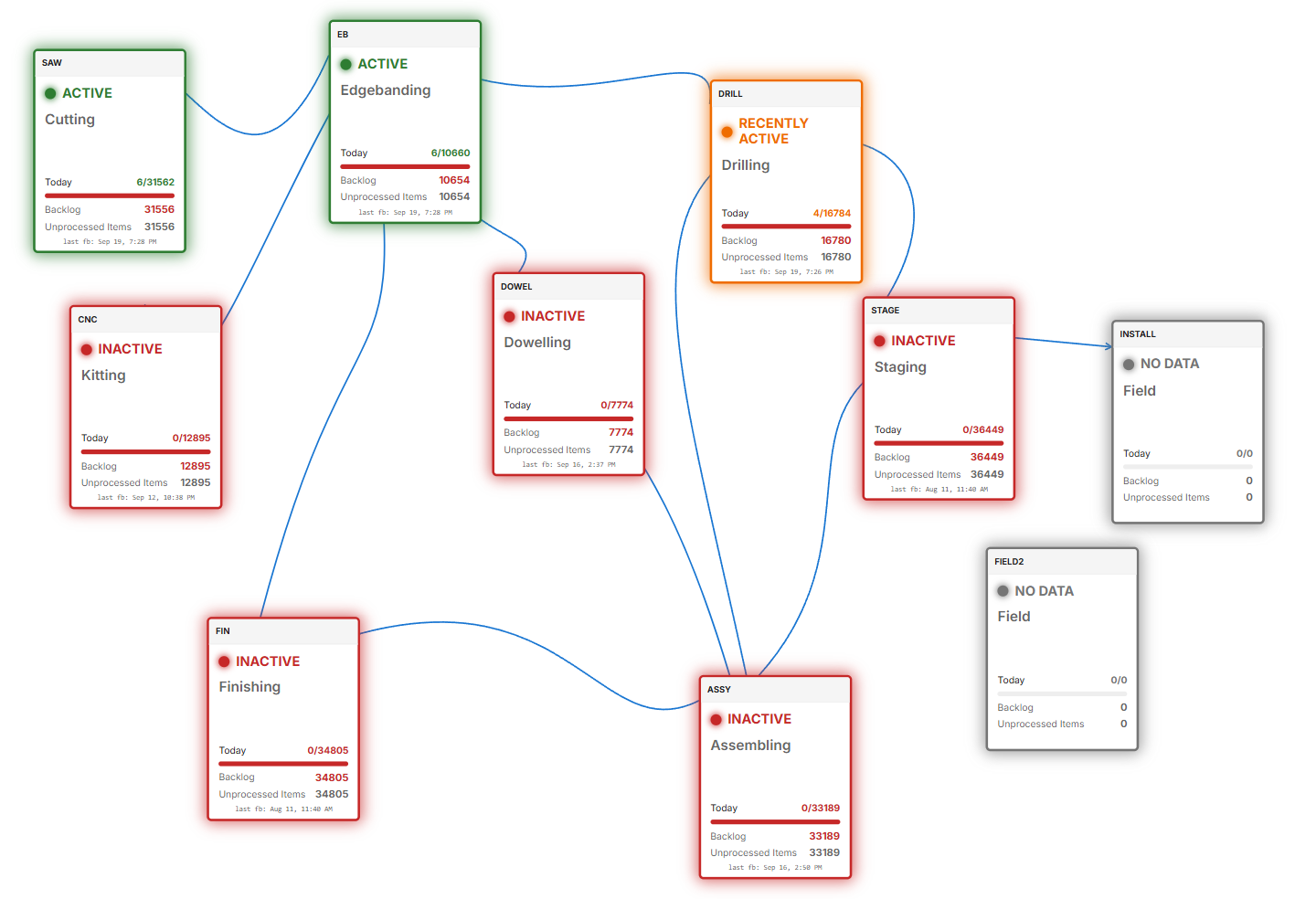
  • Live workstation monitoring

    See what every workstation is working on right now and where work is queuing.

  • Re-production

    Re-make a damaged or rejected part with approval, and keep it tied to its original order.

Ship

Send it complete, on time

  • Production order status

    One screen showing every order against every production step, with the gaps called out.

  • Customer order shipping

    Ship by customer order and know an order is complete before the truck leaves.

  • Label and report designer

    Design your own part labels and production reports, and print them where the work happens.

Run

See the whole operation

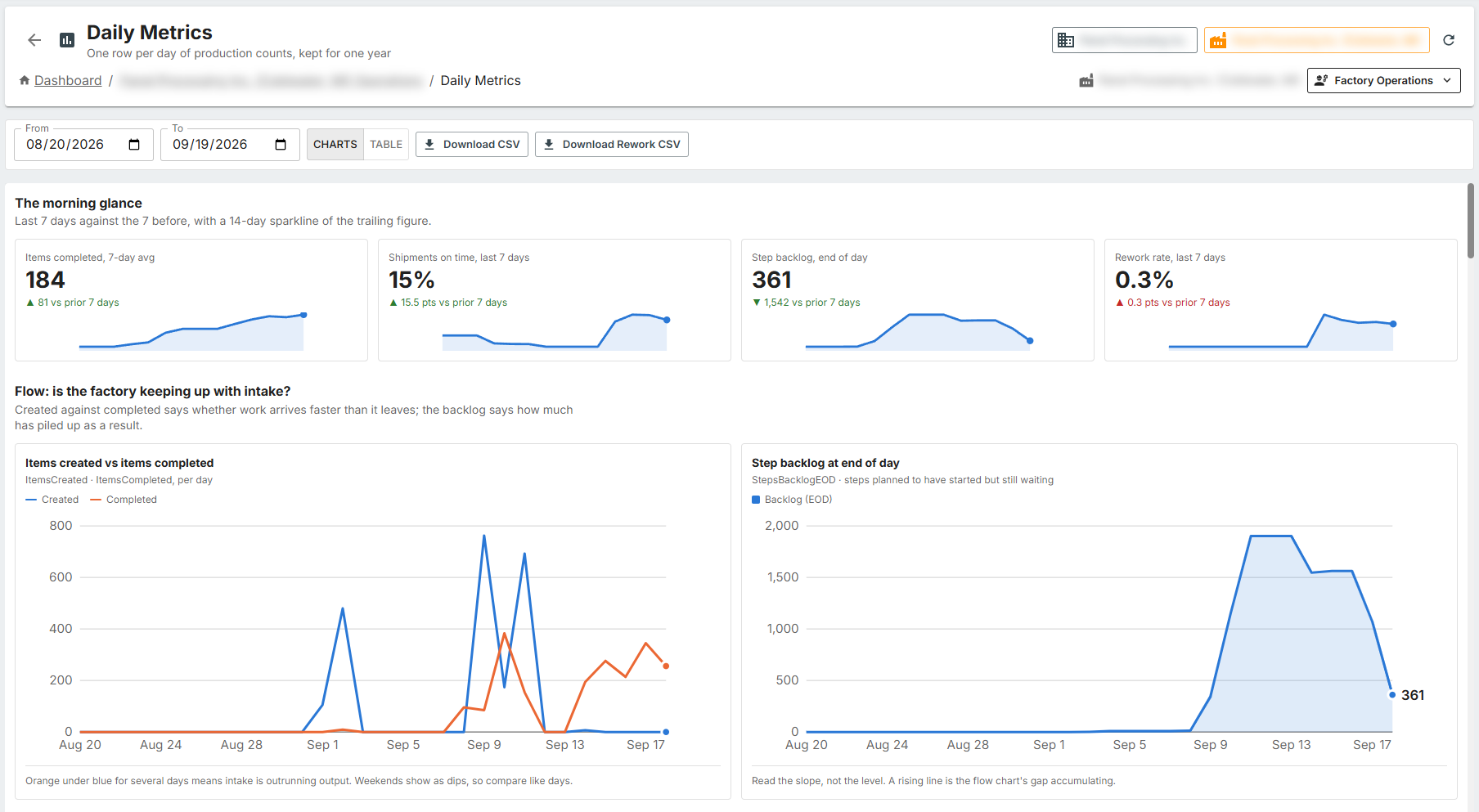
  • Daily metrics

    Throughput, rework and schedule performance by day, by workstation and across factories.

  • Multiple factories, one account

    Run several factories under one company, with users limited to the factories they work in.

  • Browser or desktop, secured

    Use Prodigi in a web browser or as a Windows desktop app, with two-factor sign-in available.

See it

Prodigi at work

app.prodigi.cloud

Select a screen, or click the image to enlarge it.

Pricing

Simple monthly plans

A connection is one device signed in to Prodigi, such as a workstation terminal, an office computer or a tablet. Choose the plan that matches the number of devices you run.

Prices are in US dollars, exclude applicable taxes and may change. They are shown for information and are not an offer; your quote and signed order set the price you pay. Advanced modules are priced separately. Prodigi is currently offered to businesses in the United States.

Advanced modules

Add more when you need it

Optional modules add to either plan at additional cost. Modules marked Planned are on our roadmap and not yet available.

Talk to us

Tell us about your operation and we will call you back or send a quote. The button opens an email in your own mail app; nothing is collected on this website.

Request a call or quote

Or write to